How to Pay GEPCO Online Bill
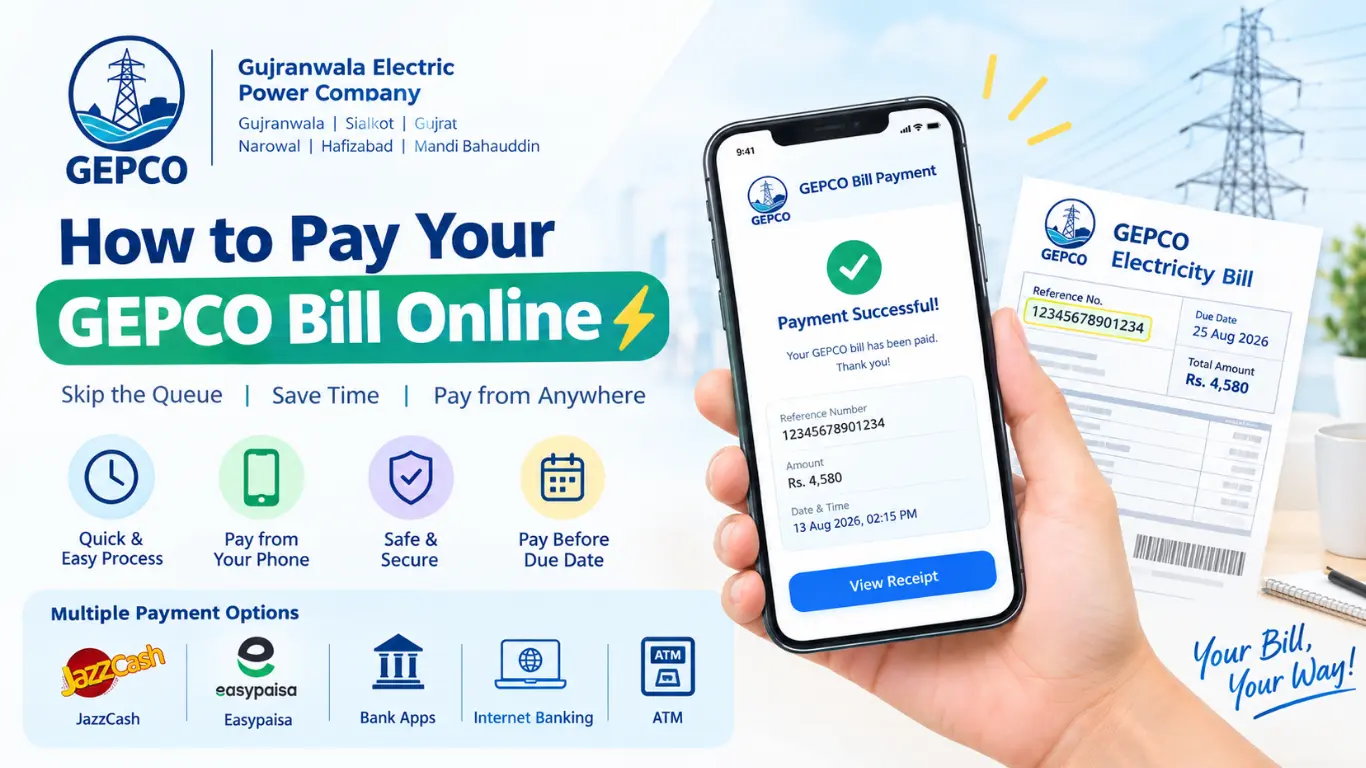
Let’s be honest: nobody enjoys standing in a bank on the last day of the month, sweating under a ceiling fan, just to pay the GEPCO Online Bill. If you live in Gujranwala, Sialkot, Gujrat, Narowal, Hafizabad, or Mandi Bahauddin, you get your power from GEPCO, and the good news is that you can pay that bill from your phone in about two minutes.
What You Need Before You Start
You only need two things:
- Your 14-digit reference number. It’s printed on your bill, usually near the top. Keep a photo of an old bill on your phone so you never have to hunt for it.
- A payment source. This can be a mobile wallet (JazzCash or Easypaisa), a bank account with a mobile app, or a debit card.
Your reference number is what links your payment to your meter, so type it carefully, with no spaces and no dashes.
Step One: Check Your Bill Amount
It’s smart to see your bill before paying, so there are no surprises.
- Open bill.pitc.com.pk in your browser. This is the national bill-viewing portal that covers GEPCO.
- Enter your 14-digit reference number.
- Tap Check Bill and wait a few seconds.
- Note the amount, due date, and any late-payment surcharge.
You can screenshot it or download it as a PDF. GEPCO also has an Android app called GEPCO LIGHT for viewing bill details, if you prefer an app to a browser.
One thing worth knowing: GEPCO’s own website mostly shows bill information rather than processing payments. The actual payment happens through wallets and banks, which I’ll cover next.
Method 1: Pay Through JazzCash
JazzCash is probably the most popular choice, since most people already have it installed.
- Open the JazzCash app and log in.
- Tap Bill Payment on the home screen.
- Choose Electricity, then select GEPCO.
- Enter your 14-digit reference number.
- Check the amount that appears and tap Confirm.
- Enter your MPIN to finish.
You’ll get an SMS and an in-app receipt right away. Save that screenshot, since it’s your proof of payment.
Method 2: Pay Through Easypaisa
Easypaisa works almost the same way.
- Log in to the Easypaisa app.
- Tap Bill Payment, then Electricity.
- Select GEPCO from the list of companies.
- Type in your reference number.
- Review the bill details and confirm.
- Enter your PIN.
A confirmation message follows within seconds. If you don’t have enough balance, you can top up the wallet from your bank account or at a nearby retailer, then come back and complete the payment.
Method 3: Pay Through Your Bank’s Mobile App
Most major Pakistani banks let you pay utility bills from their apps, including Allied Bank’s myABL, HBL Mobile, Meezan, UBL Digital, and others. The exact menu names differ a little, but the flow is the same:
- Log in to your bank’s mobile app.
- Go to Bill Payments or Utility Bills.
- Choose Electricity and select GEPCO as the biller.
- Enter your reference number. Some apps ask you to add it as a “New Biller” first.
- Confirm the amount.
- Enter the OTP sent to your registered mobile number.
Once you’ve saved GEPCO as a biller, future payments take about thirty seconds. Some banks, myABL among them, even allow partial payments if you can’t clear the whole bill at once.
Method 4: Internet Banking
If you’re at a laptop, internet banking does the same job. Log in to your bank’s website, find the bill payment section, pick GEPCO, enter your reference number, verify the amount, and authenticate with an OTP. It’s slower than a wallet app, but it’s handy if you’re already paying several other things.
Method 5: Use an ATM
No smartphone nearby? Any ATM that supports bill payments will do.
- Insert your card and enter your PIN.
- Select Bill Payment or Utility Bill Payment.
- Choose GEPCO.
- Enter your reference number.
- Confirm the amount and complete the transaction.
Always take the printed receipt. Some ATMs run out of paper, so it’s worth checking your bank app for a confirmation message too.
Tips That Will Save You Trouble
Pay early. Don’t wait for the final day. Payment systems can get slow or go down when everyone rushes at once, and a late payment brings a surcharge.
Keep your receipt. A screenshot or SMS is enough. If a payment ever fails to show up, that receipt is what GEPCO’s office will ask for.
Double-check the reference number. A single wrong digit can send your payment to someone else’s account. Most apps show the consumer name or amount before you confirm, so read it carefully.
Watch for fake sites. Many websites imitate official portals. Never enter your card PIN, wallet PIN, or OTP on a site that asks for it just to “view” a bill. Viewing a bill only needs your reference number.
Allow time to update. Payments usually reflect quickly, but sometimes it takes a day or two. Don’t pay twice out of panic.
Common Problems and Quick Fixes
“Bill not found.” Recheck your reference number. If it’s correct, the new bill may not have been generated yet, so try again in a day or two.
Payment deducted but no confirmation. Wait a few hours, then check your transaction history. If it’s still unclear, contact your wallet or bank support with the transaction ID.
Wrong amount showing. Compare it with your paper bill or the PITC portal. If something looks off, visit or call your local GEPCO subdivision office and ask about a correction.
Why Paying Online Is Worth It
Beyond skipping the queue, online payment gives you a digital record, works on holidays and at midnight, and saves the travel time and fuel you’d otherwise spend. Once you’ve done it once, it honestly becomes the easiest chore of the month.
Final Thoughts
Paying your GEPCO bill online really isn’t complicated. Find your 14-digit reference number, check the amount, and pay through JazzCash, Easypaisa, or your bank’s app. Whichever route you pick, save the receipt and pay a few days before the due date. Your future self will thank you.
One Comment