How to Pay LESCO Online Bill
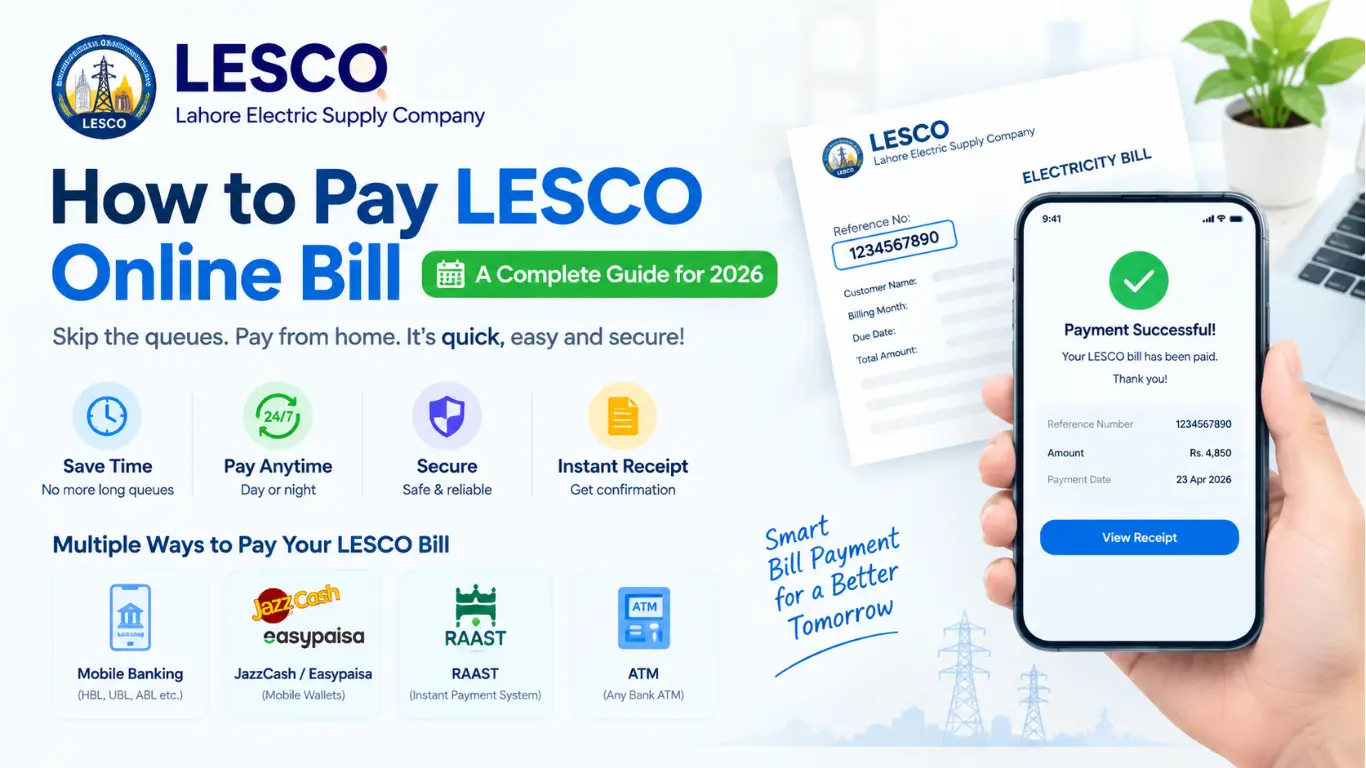
Waiting in long queues at the bank just to pay your LESCO Online Bill feels like a waste of time in 2026. The good news? LESCO (Lahore Electric Supply Company) customers no longer need to leave their homes to clear their monthly dues. Whether you’re a student managing your own flat, a working professional juggling a busy schedule, or a parent handling household bills, paying your LESCO bill online takes just a few minutes once you know the right steps.
Why Pay Your LESCO Bill Online?
Before diving into the “how,” let’s talk about the “why.” Online bill payment isn’t just about convenience it genuinely saves you money and stress in the long run.
- No more standing in lines. Bank branches get crowded, especially near the due date.
- Available 24/7. You can pay at midnight if that’s when you remember.
- Instant confirmation. Most apps send you a receipt immediately.
- Fewer late fees. Since you can pay anytime, anywhere, it’s easier to beat the deadline.
- Safer during uncertain times. No cash handling, no risk of losing a paper receipt.
What You Need Before You Start
Before jumping into any app or website, keep these two things handy:
- Your LESCO Reference Number or Consumer ID printed in the top-left corner of your previous electricity bill.
- A bank account, debit card, or mobile wallet (like JazzCash or Easypaisa) linked to your name.
That’s really all you need. No complicated documents, no need to visit any office.
Method 1: Pay Through Mobile Banking Apps
Almost every major Pakistani bank now offers a mobile banking app, and all of them support LESCO bill payments. Banks like HBL, UBL, Allied Bank (ABL), Meezan Bank, and Bank Alfalah let you add LESCO as a “biller” and pay directly from your account.
Here’s the general process:
- Open your bank’s mobile app and log in.
- Go to the “Bill Payments” or “Utility Bills” section.
- Select “LESCO” from the list of billers (sometimes listed as “Lahore Electric Supply Company”).
- Enter your Reference Number.
- The app will fetch your latest bill amount automatically.
- Confirm the payment, and you’ll usually receive an OTP (One-Time Password) on your registered mobile number to authorize the transaction.
- Once verified, you’ll get a digital receipt save it or take a screenshot for your records.
This method works especially well for people who already do most of their banking digitally and want everything in one place.
Method 2: Pay Using JazzCash or Easypaisa
If you don’t have a bank account or simply prefer mobile wallets, JazzCash and Easypaisa are two of the most popular options in Pakistan for utility bill payments.
Steps to follow:
- Open the JazzCash or Easypaisa app on your phone.
- Tap on “Pay Bill” or “Utility Bills.”
- Choose “Electricity” and then select “LESCO” from the list.
- Enter your Reference Number when prompted.
- Review the bill amount that appears on screen.
- Confirm the payment using your wallet balance or linked debit card.
- You’ll receive an SMS confirmation once the payment goes through.
These apps are especially handy if you don’t have a traditional bank account, since both JazzCash and Easypaisa let you create a mobile wallet using just your CNIC.
Method 3: Pay Through RAAST
RAAST is Pakistan’s newer instant payment system, and it’s becoming a go-to option for utility bills because there are no extra service charges involved.
To use RAAST for your LESCO bill:
- Open your bank’s mobile app and look for the RAAST payment option.
- Select “Bill Payments” within RAAST.
- Enter your LESCO reference number or scan the QR code printed on your bill, if available.
- Verify the bill details shown on your screen.
- Confirm the transaction you’ll get instant confirmation once it’s processed.
Since RAAST is a government-backed instant payment infrastructure, transactions tend to be fast and reliable.
Method 4: Pay at an ATM
If you’re more comfortable with a hands-on approach but still want to skip the bank counter, ATMs are a solid middle-ground option.
- Insert your debit card at any bank ATM.
- Select “Bill Payment” from the menu.
- Choose “LESCO” from the list of billers.
- Enter your Reference Number.
- Confirm the amount and complete the transaction.
- Don’t forget to collect your printed receipt as proof of payment.
This method is great for people who aren’t fully comfortable with mobile apps but still want to avoid long queues.
Common Mistakes to Avoid
Even though the process is simple, small errors can cause unnecessary headaches. Here’s what to watch out for:
- Double-check your Reference Number. A single wrong digit can pull up the wrong bill or fail the transaction entirely.
- Pay before the due date. Some online payment methods stop working temporarily after the due date, forcing you to pay offline with a possible late fee.
- Keep your receipt. Digital or printed, always save proof of payment in case there’s a billing dispute later.
- Watch for app updates. Occasionally, banking apps undergo maintenance — if a payment fails, wait a bit and try again rather than repeating the transaction immediately.
Final Thoughts
Paying your LESCO bill online in 2026 is genuinely one of the simplest financial tasks you can automate into your monthly routine. Whether you prefer mobile banking apps, JazzCash, Easypaisa, RAAST, or a quick ATM visit, there’s an option that fits your comfort level and lifestyle.
Once you pay online for the first time, you’ll likely never want to go back to standing in line. Set a reminder a few days before your due date, keep your Reference Number saved somewhere handy, and you’ll never have to worry about late payments or unnecessary trips to the bank again.
One Comment