Check PESCO Online Bill September 2026 by Entering 14 Digit Ref No
Check your PESCO Online Bill by entering your 14-Digit Reference Number or 10-Digit Customer ID. View, download, or print your PESCO bill through the official PITC portal.
Check PESCO Bill Online
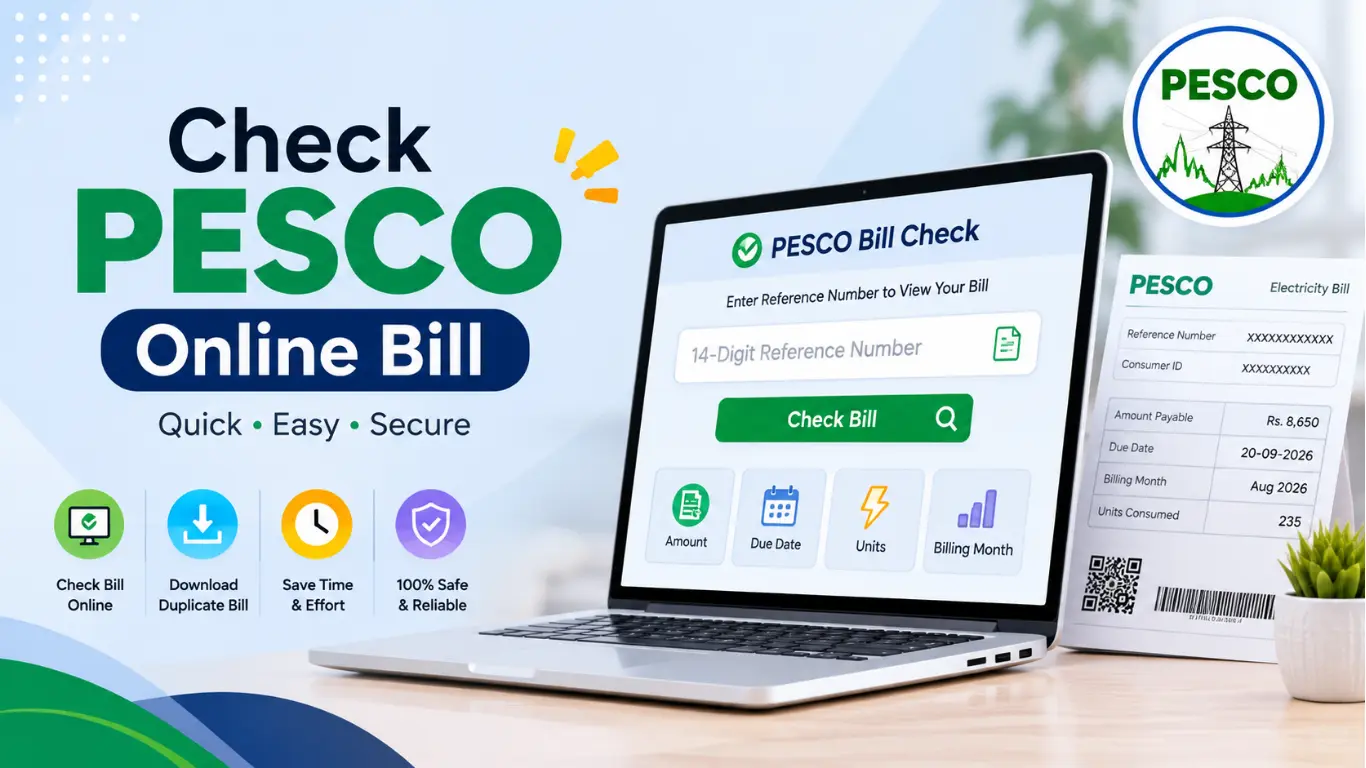
How to Check PESCO Bill by Reference
You can check your PESCO online bill quickly using the 14-digit reference number printed on your previous bill.
- Find your reference number – Look at the top section of your previous PESCO bill and locate the 14-digit Reference Number.
- Open the PESCO bill checking page – Go to the online bill checker.
- Enter the reference number : Type the 14 digits carefully in the reference number field. Avoid entering the Consumer ID or meter number.
- Click the Check Bill button – Submit the number to retrieve your latest bill.
- View your bill details – Your bill will show important information such as the amount payable, due date, billing month, and electricity units consumed.
- Download or print the bill – Once the bill appears, you can save a duplicate copy as a PDF or print it for your records.
How to Check PESCO Duplicate Bill by Online
- Find your 14-digit reference number from any previous PESCO bill.
- Open the PESCO online bill checker on your mobile or computer.
- Enter your reference number in the given field.
- Click on the “Check Bill” button to search for your bill.
- View your latest PESCO bill along with the amount, due date, units, and billing details.
- Download or print the duplicate bill if you need a copy for payment or record.
- Save the bill on your device so you can access it whenever required.
Where is Reference Number and How to Find It
Check your previous PESCO bill: the reference number is printed on the bill.
Look at the top section : you will usually find it near the customer or billing information.
Find the 14-digit number :PESCO uses this number to identify your electricity connection.
Copy all digits carefully :make sure there are no missing or incorrect numbers.
Use it for online billing :enter the same reference number on the bill checker to view your latest bill.
Don’t confuse it with other numbers :the meter number and customer details are different from the reference number.
About (PESCO)Peshawar Electric Supply Company
Peshawar Electric Supply Company (PESCO) is the electricity distribution company responsible for delivering power to residential, commercial, and industrial consumers across Khyber Pakhtunkhwa (KPK). PESCO operates an extensive transmission and distribution network to provide electricity services to millions of customers in both urban and rural areas of the province.
Key Information About PESCO
- Head Office: Peshawar, Khyber Pakhtunkhwa
- Consumers Served: More than 2.6 million
- Coverage Area: Cities, towns, and rural regions throughout Khyber Pakhtunkhwa
- Distribution Infrastructure Includes:
- 132 kV grid stations
- 66 kV grid stations
- 33 kV grid stations
- 11 kV distribution feeders
- 440-volt low-voltage distribution lines
PESCO plays an important role in maintaining and expanding the electricity distribution system to ensure a steady power supply for households, businesses, and industries across its service area.
Peshawar Electric Supply Company Area Cover
PESCO provides electricity services across a wide range of Khyber Pakhtunkhwa (KPK) districts through its regional distribution system. Its network covers residential, commercial, agricultural, and industrial consumers in both developed cities and rural communities.
| Region | Districts Served |
|---|---|
| Peshawar Division | Peshawar, Charsadda, Nowshera |
| Mardan Division | Mardan, Swabi |
| Malakand Division | Swat, Buner, Shangla, Lower Dir, Upper Dir, Malakand |
| Hazara Division | Abbottabad, Haripur, Mansehra, Battagram, Torghar, Upper Kohistan, Lower Kohistan, Kolai-Palas Kohistan |
| Kohat Division | Kohat, Karak, Hangu |
| Bannu Division | Bannu, Lakki Marwat, North Waziristan |
| Dera Ismail Khan Division | Dera Ismail Khan, Tank, Upper South Waziristan, Lower South Waziristan |
| Merged Districts | Bajaur, Mohmand, Khyber, Kurram, Orakzai |
Through this extensive regional network, PESCO delivers electricity to consumers living in cities, towns, and remote areas throughout its service territory.
Frequently Asked Questions (FAQs)
1. How Can I Check My PESCO Bill Online?
You can check your PESCO online bill by entering your 14-digit reference number or 10-digit Customer ID on a bill checking page. After submitting the details, your latest bill information will appear on the screen.
2. How Can I Check My PESCO Bill by Reference Number?
Enter the 14-digit PESCO reference number printed on your previous electricity bill into the online bill checker. Click the check button to view your current bill, due date, payable amount, and other billing details.
3. How Can I Check My PESCO Bill by Customer ID?
If you have your 10-digit Customer ID, you can use it on a supported PESCO bill checking service. Enter the Customer ID and submit it to retrieve your available bill information.
4. How Can I Download a Duplicate Bill?
After checking your bill online, use the Download option to save a duplicate copy. You can keep the PDF on your phone or computer or print it whenever you need a paper copy.
5. Where Can I Find My PESCO Reference Number?
Your 14-digit reference number is printed on your previous PESCO electricity bill, usually in the customer or billing information section. You can use the same reference number to check future bills.
6. Can I Check My PESCO Bill Without a Reference Number?
Yes, if the bill checking service supports it, you can use your 10-digit Customer ID instead. If you have neither number, check an old bill or contact PESCO customer support for assistance.
7. Can I Check My PESCO Bill by CNIC?
A CNIC is generally not the primary number used for checking an individual PESCO bill online. For the quickest bill search, keep your 14-digit reference number or 10-digit Customer ID available.
8. How Can I Check My Bill by SMS?
If an SMS-based bill service is available, follow the latest instructions provided by PESCO or the relevant authorized service. SMS services and codes can change, so verify the current method before sending your reference number.
9. How Can I Pay My PESCO Bill Online?
You can pay your electricity bill through supported mobile banking apps, internet banking, ATMs, and digital payment services. Select the electricity bill payment option, choose PESCO, enter the required billing information, and complete the payment.
10. How Can I Check My PESCO Bill Payment Status?
After making a payment, you can check whether the bill has been paid through your banking or payment service. Keep the payment receipt or transaction ID until the payment is confirmed.
11. What Is the Due Date on a PESCO Bill?
The due date is the final date mentioned on your bill for payment without the applicable late-payment surcharge. Always check the latest bill because the due date can vary from month to month.
12. What Happens If I Pay My PESCO Bill After the Due Date?
A bill paid after the due date may include a late payment surcharge. The additional amount depends on the applicable billing rules and should be checked on the updated bill.
13. Why Is My PESCO Bill Not Showing Online?
Sometimes a newly generated bill may take some time to appear online. Check that your reference number or Customer ID has been entered correctly and try again later. If the problem continues, contact PESCO for assistance.
14. How Can I Reduce My Electricity Bill?
You can reduce electricity costs by using energy-efficient appliances, switching off unnecessary lights and devices, improving cooling efficiency, and avoiding unnecessary electricity consumption during peak hours.
15. What Are PESCO Peak Hours?
PESCO peak hours are periods when electricity demand is higher. Using heavy appliances outside peak periods can help consumers manage their electricity consumption more efficiently. The applicable peak-hour schedule can vary, so check the latest information provided by PESCO.
16. How Can I Check My Bill History?
Your previous electricity bills can help you track monthly consumption, units used, payable amounts, and payment records. If you need an official billing history, contact PESCO or use an available authorized customer service channel.
17. How Can I Register a PESCO Bill Complaint?
If you notice an incorrect meter reading, excessive charges, duplicate billing, or another billing issue, report the problem through PESCO’s official complaint or customer service channels. Keep your reference number and recent bill available when submitting a complaint.
18. What Should I Do If My PESCO Bill Is Too High?
First, compare the current bill with your previous bills and check the units consumed, meter reading, tariff, and additional charges. If the consumption or reading appears incorrect, contact PESCO and request verification.
19. How Can I Apply for a New PESCO Electricity Connection?
Consumers who need a new electricity connection should follow the current application procedure provided by PESCO. The required documents, application process, fees, and connection requirements may vary depending on the connection type.
20. How Can I Check PESCO Load Shedding Schedule?
Load-shedding schedules can vary according to the area, feeder, maintenance work, and power supply conditions. Check the latest PESCO announcements or local updates for information about your specific area.
21. What Should I Do If My PESCO Meter Reading Is Wrong?
If the meter reading shown on your bill does not match your actual meter reading, note the current meter reading and contact PESCO customer service or the relevant complaint center. Providing your bill and reference number can help with verification.
22. How Can I Find My PESCO Bill Without an Old Bill?
If you do not have a previous bill, try to retrieve your reference number or Customer ID from previous payment records, SMS messages, banking apps, or other billing documents. If you still cannot find the required details, contact PESCO customer support.
23. Is PESCO Online Bill Checking Free?
Online bill checking services may allow consumers to view their bill without visiting a PESCO office. However, users should check whether a particular third-party website charges any service fee before using additional services.
24. Can I Check and Print My PESCO Bill From My Mobile?
Yes. You can use a smartphone browser to enter your reference number or Customer ID on a supported bill-checking page. Once the bill is displayed, you can save it as a PDF or use the print option if available.